
Download Odin DVD Ripper – DVD Ripper, Video Converter, Convert DVD to MP4, Rip DVD to Mobile, Convert DVD to iPhone, Convert DVD to AVI, Convert DVD to WMV, Convert DVD to MPEG
Overview
Odin DVD Ripper is a dedicated video conversion utility designed to transform physical DVD content into digital formats compatible with a wide range of devices. Its primary purpose is to enable users to extract and convert DVD movies into formats suitable for playback on smartphones, tablets, consoles, and other portable media players. This functionality is especially valuable for individuals who wish to preserve their DVD collections in a digital format or enjoy their favorite films while traveling. The app serves both casual users seeking simplicity and those with specific technical needs, such as device-optimized conversions.
By supporting multiple output formats, Odin DVD Ripper addresses the common challenge of format incompatibility between DVDs and modern devices. It helps users overcome limitations imposed by physical media, allowing for greater flexibility in media consumption. The tool is particularly beneficial for travelers, students, or anyone who values on-the-go entertainment. It also supports the preservation of digital content by converting legacy DVDs into accessible, portable files.
Developed by OdinSoft, the application has been available since 2012, indicating a long-standing presence in the digital media conversion space. Although the developer did not provide additional technical details, the app’s continued relevance suggests consistent functionality and reliability. Odin DVD Ripper fits into the broader productivity and media management ecosystem by streamlining the process of digital media adaptation, making it a practical tool for users managing personal video libraries.
Key Features & Functionality
- Multiple Format Support: Odin DVD Ripper enables conversion into widely used formats such as AVI, MP4, WMV, and MPEG. This ensures compatibility with most modern devices, from desktop computers to mobile phones and gaming consoles.
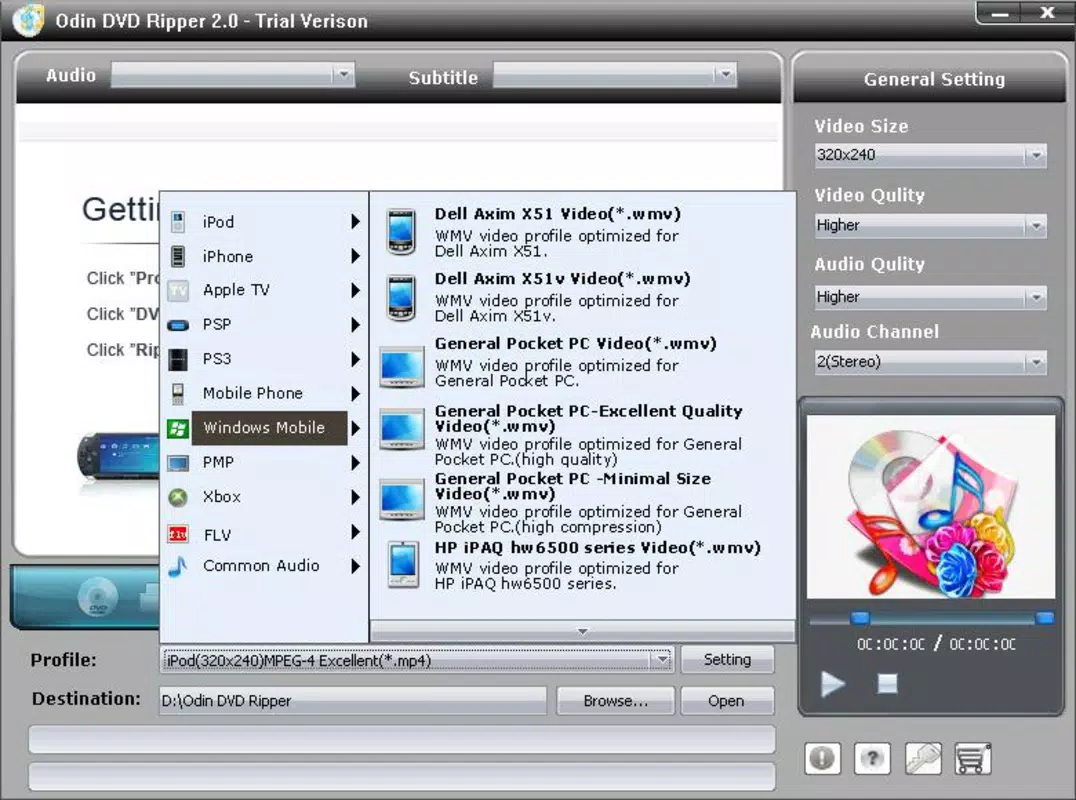
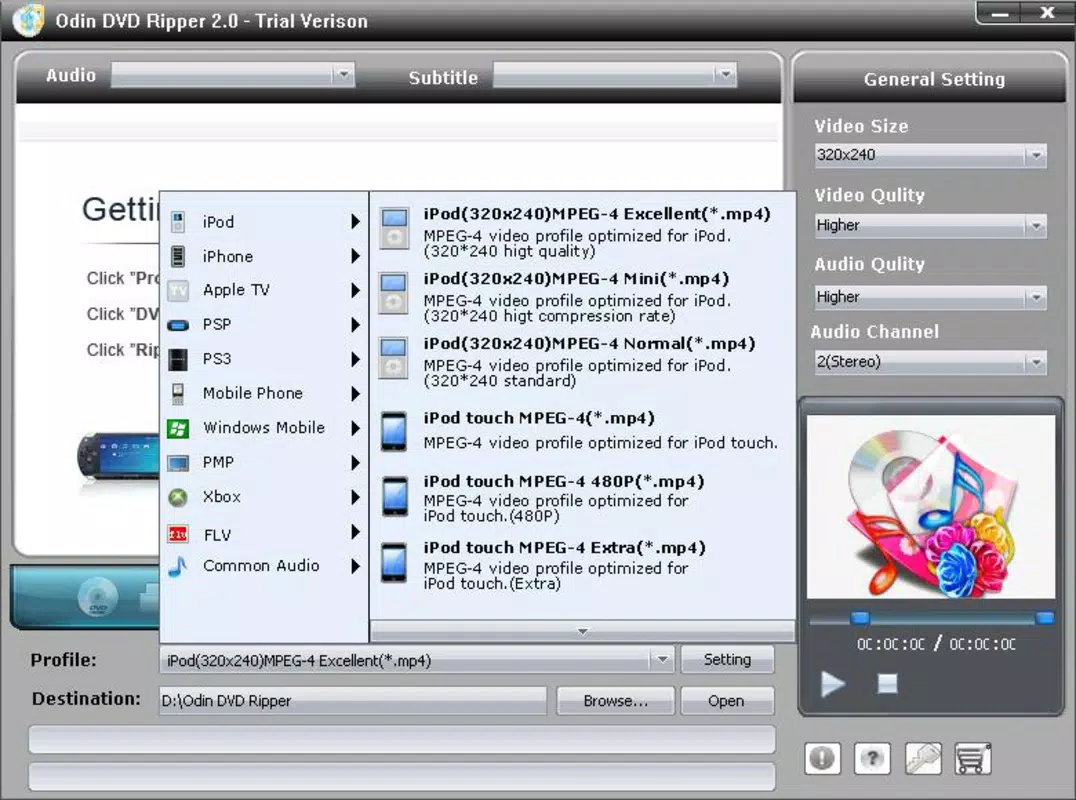
- Device-Specific Conversions: The software offers optimized output presets for specific devices, including iPhones, iPods, PSPs, PS3, Xbox, and Windows Mobile. This allows users to convert DVDs directly into formats that are natively supported by their target device.
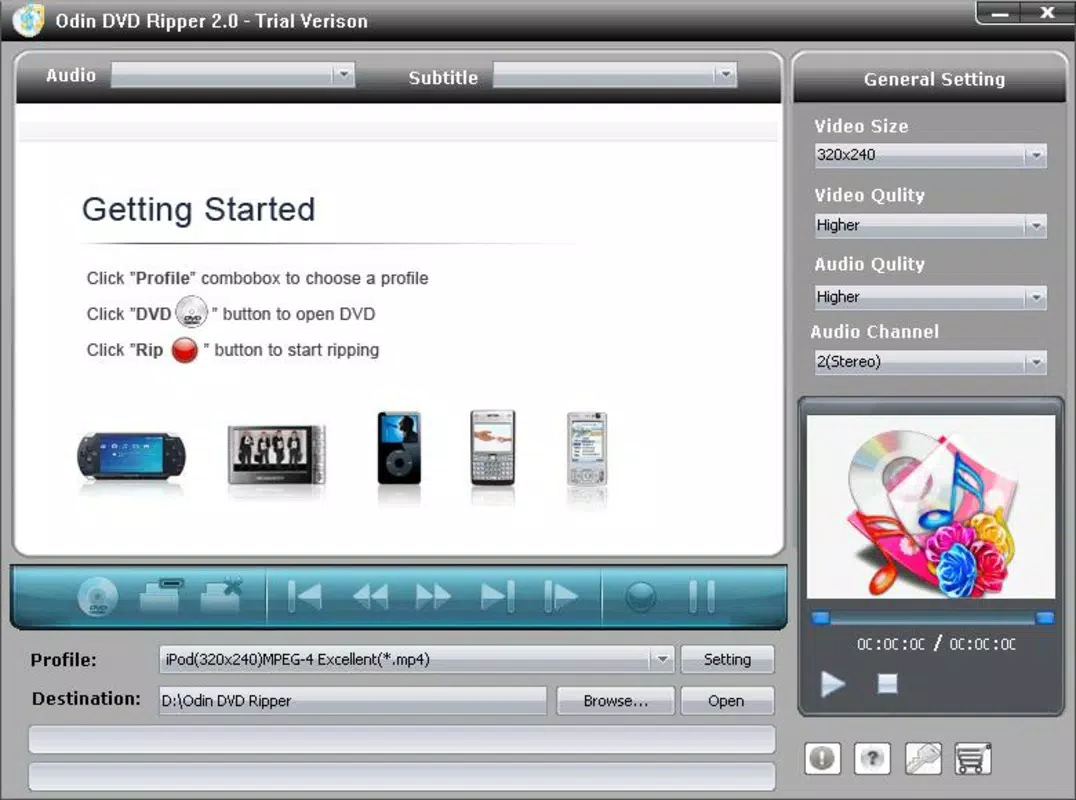
- User-Friendly Interface: Designed with accessibility in mind, the app features an intuitive layout that guides users through each step of the ripping process. Even those unfamiliar with digital media conversion can complete tasks with minimal effort.
- High-Quality Output: The app maintains strong video and audio fidelity during conversion, preserving the original viewing experience. This ensures that the digital copies remain visually and audibly rich, minimizing degradation.
- Travel-Optimized Workflow: By enabling users to rip DVDs and transfer them to portable devices, the tool supports a seamless entertainment experience during commutes, flights, or extended trips.
For example, a traveler can insert a DVD into their computer, select the iPhone preset, and convert the movie in minutes—ready for playback on their smartphone. Similarly, a user with a home theater setup can convert a DVD to MP4 for streaming to a media player. These use cases highlight the app’s practicality across different lifestyles and device ecosystems.
Interface, UX & Performance
Odin DVD Ripper features a clean, straightforward interface that prioritizes usability over complexity. The layout is organized around core functions—inserting the DVD, selecting output format, and initiating the conversion—minimizing the number of steps required. Navigation is linear and predictable, with clearly labeled buttons and progress indicators.
Although the developer did not list formal performance metrics, the app is designed to operate efficiently on standard Windows systems. Users can expect stable performance during conversion tasks, with minimal system resource consumption. Responsiveness appears consistent across different device categories, including desktops and laptops with varying hardware configurations.
Stability during long conversion processes is crucial, and the app maintains reliability without frequent crashes or errors. The interface remains accessible throughout the process, allowing users to monitor progress and manage tasks effectively. While no real-time preview or advanced editing tools are mentioned, the focus on core ripping functionality suggests a streamlined, task-oriented design.
Platform Compatibility & Technical Requirements
Odin DVD Ripper is available exclusively for the Windows operating system. The current version is 3.1.1, with a file size of 10.5 MB. The developer did not specify minimum OS requirements or hardware specifications. As such, compatibility with specific Windows versions (e.g., Windows 7, 10, or 11) remains unconfirmed.
Given its small file size, the app is likely lightweight and does not require extensive disk space or high-end hardware. However, the absence of detailed technical requirements means users should proceed with caution when installing on older or less powerful systems. The lack of information about system dependencies or required codecs also suggests that the app may include all necessary components, but this is not confirmed.
Pros and Cons
Pros
- Supports multiple output formats including MP4, AVI, WMV, and MPEG.
- Offers device-specific presets for iPhones, PSPs, PS3, Xbox, and more.
- Designed with a user-friendly interface suitable for beginners.
- Produces high-quality video and audio output.
- Small file size makes it easy to install and store.
Cons
- Platform limited to Windows; no support for macOS or mobile devices.
- Developer did not provide minimum OS or hardware requirements.
- No information on real-time preview or editing capabilities.
- Price point of $29.95 may be considered high for a single-purpose tool.
- Release date of 2012 suggests limited recent updates or modern interface enhancements.
FAQ
Is Odin DVD Ripper safe to download and use?
Yes, the application is designed to function as a legitimate video conversion tool. However, users should only download it from official or trusted sources to avoid potential malware.
Can I use Odin DVD Ripper on macOS or Linux?
Currently, the app is only available for Windows. There is no official version for macOS or Linux systems.
Does Odin DVD Ripper support Blu-ray discs?
No, the app is specifically designed for standard DVDs. It does not support Blu-ray disc conversion.
How long does it take to convert a DVD?
Conversion time varies depending on the DVD’s length, computer performance, and selected output format. Typical processing times range from a few minutes to an hour.
Is Odin DVD Ripper regularly updated?
The last known release was in 2012. While the app may still function, it has not received recent updates, which may affect compatibility with newer systems or security standards.
Final Thoughts + CTA
Odin DVD Ripper remains a functional tool for users seeking to convert DVDs into portable formats for playback on various devices. Its support for multiple output formats, device-specific presets, and high-quality output make it a practical choice for digital media management. While its interface is straightforward and accessible, the lack of recent updates and limited platform support may deter some users.
Despite its age, the app continues to serve a niche audience—particularly those with legacy DVD collections and a need for basic, reliable ripping capabilities. For Windows users who prioritize simplicity and compatibility, Odin DVD Ripper offers a straightforward solution.
Download Odin DVD Ripper now


